




Cloth Weightmap
Cloth Weightmap
Video on how to use: Unity Cloth Weightmap
Wiki: Cloth Weightmap Tool
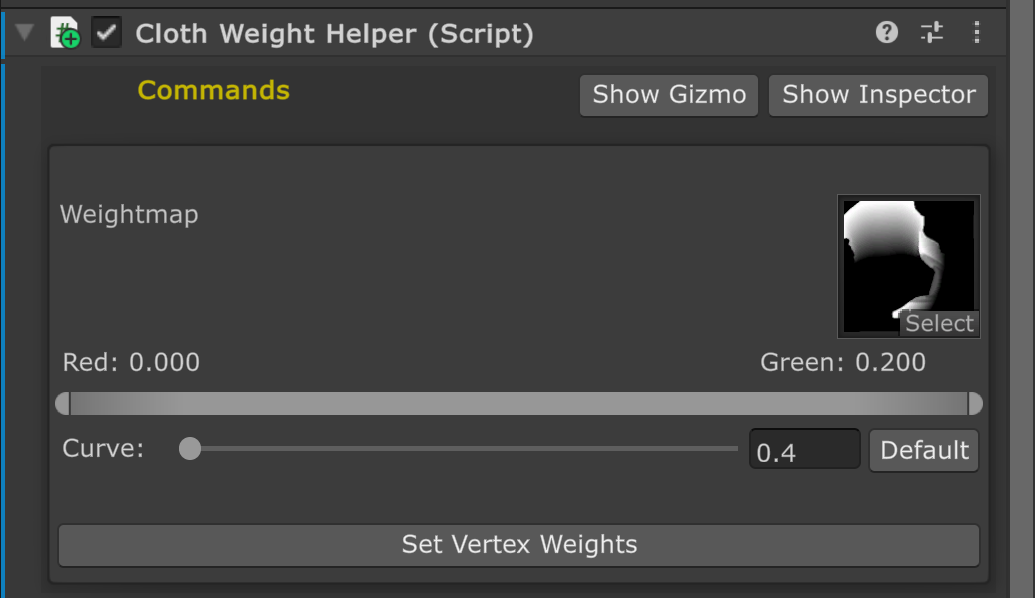
once you have a cloth component on a skinnedMeshRednerer, right click it, and select "Add weight helper".
Add the texture, then adjust as needed.
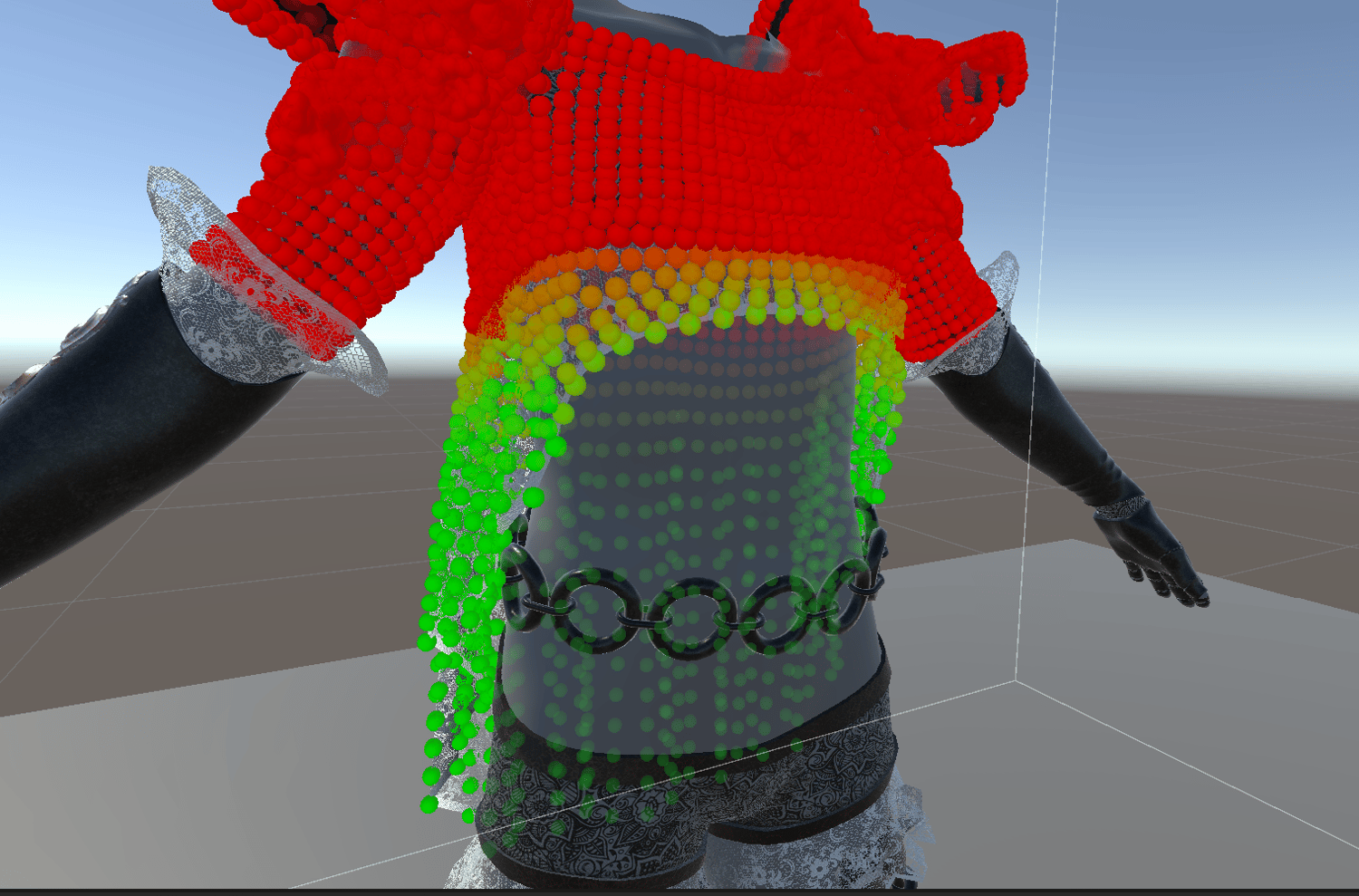
press "Show Gizmo" to show Gizmos.
"Set Vertex Weights" will apply the new settings to each vertice.
You can remove this component when done. Not needed in game.
My Outfits:
When using my outfits, you will see a texture that ends in a "_W" this is the weightmap texture made for this tool that is already made and ready to go.
API:
public Cloth cloth; // Assign the Cloth component
public Texture2D gradientTexture; // Assign the gradient texture. make sure it has read/write permissions
public float Min = 0; // The minimum value to assign to a vertice using this tool
public float Mid = 0.1f; // adjusts the curve point between the min and max.
public float Max = 0.9f; // The maximum value to assign to a vertice using this tool
public float GizmoSize = 0.01f; // The size of gizmos to represent each vertice
public bool DrawGizmo = false; // To show gizmos